Zero-knowledge by design
Terminal output is end-to-end encrypted before it ever leaves your desktop. The relay, the signaling server and TURN never see your plaintext or session metadata.
End-to-end encrypted · zero-knowledge
Control the terminals on your desktop straight from your phone. Encrypted before it leaves your machine, presented like a chat — so checking a long-running job is as easy as reading a message.
Why TermLink
Terminal output is end-to-end encrypted before it ever leaves your desktop. The relay, the signaling server and TURN never see your plaintext or session metadata.
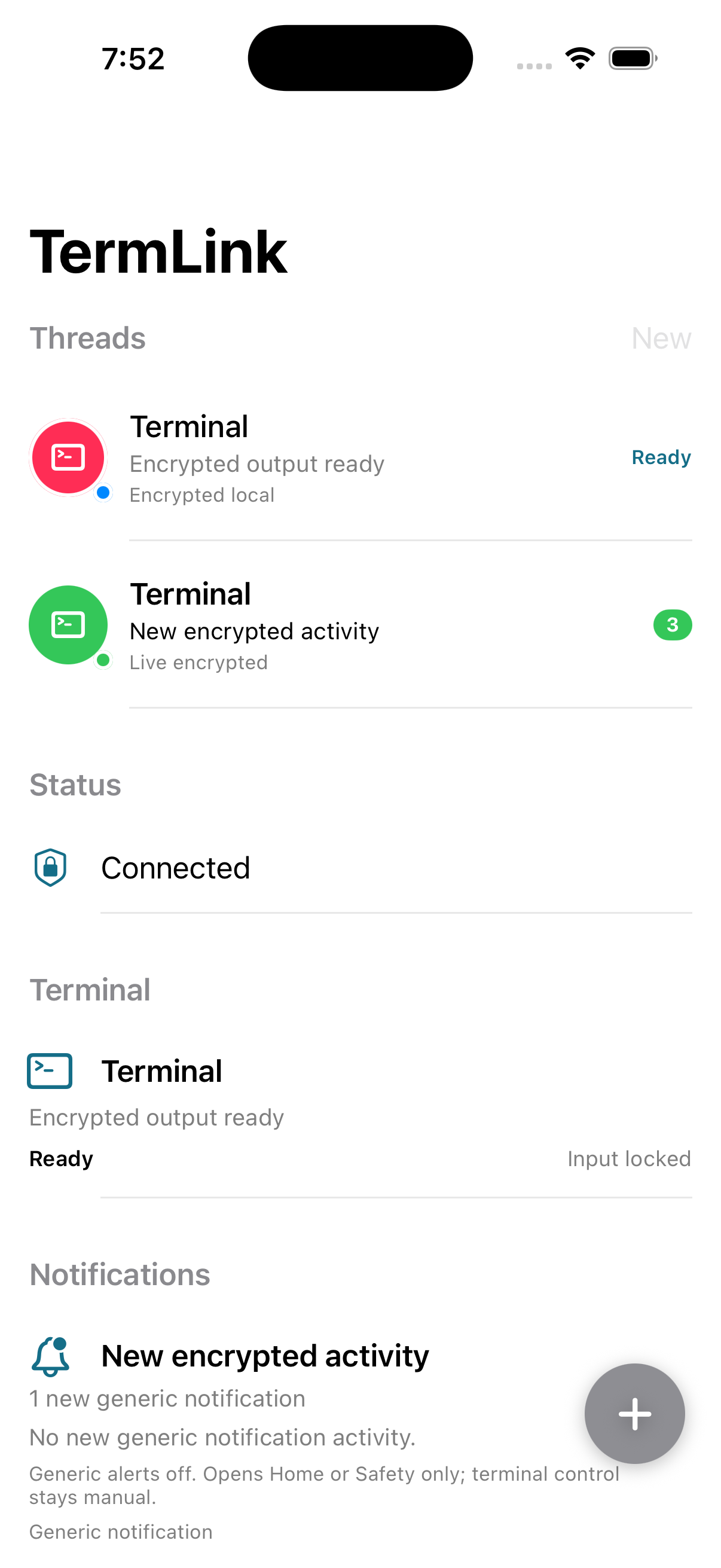
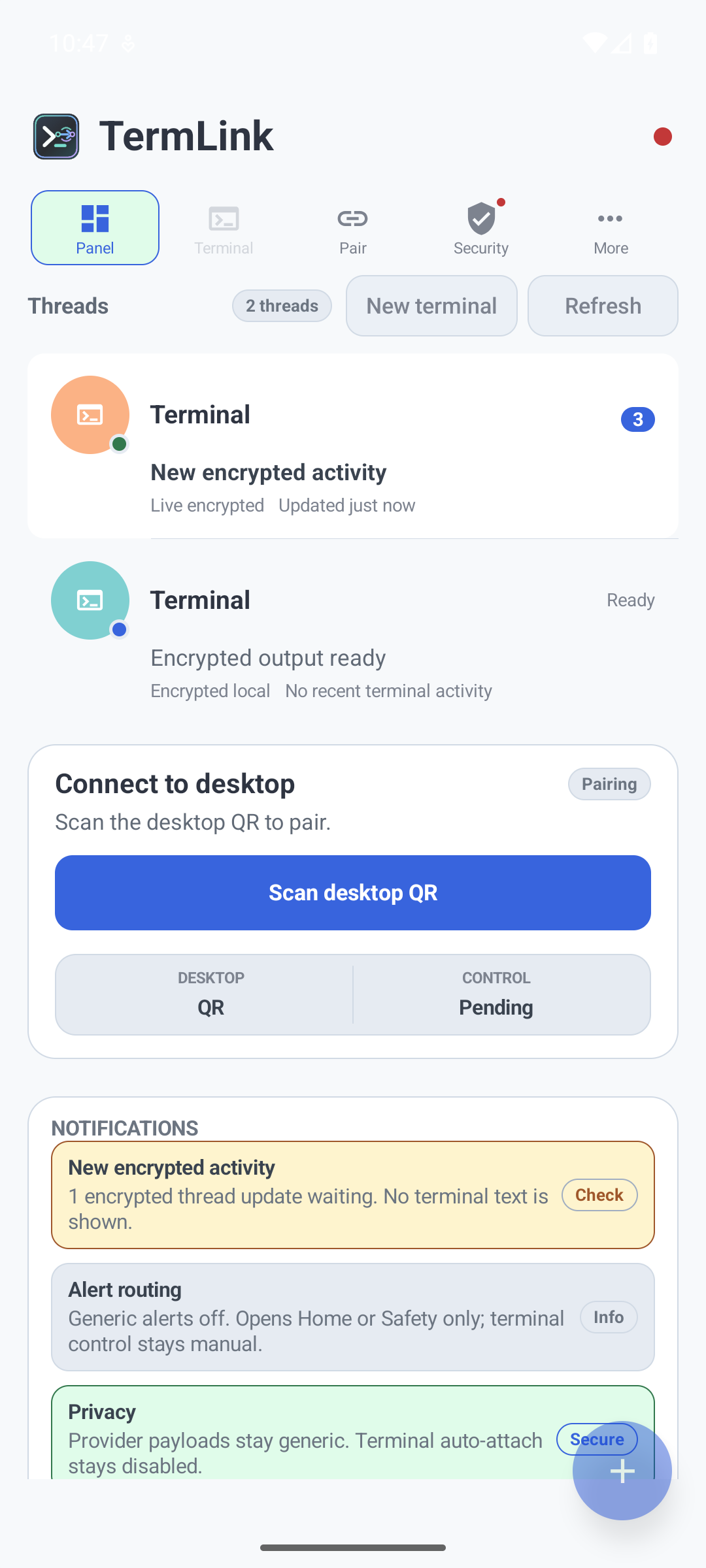
Your terminals show up like a chat list — ordered by last activity, with unread badges. Tap a thread to attach. It feels like messaging, not ops.
A real SwiftUI app on iOS and a native Android client — not a web wrapper. Fast, system-integrated, and consistent across devices.
Pairs over a QR code, then connects peer-to-peer on your LAN and falls back to TURN for tricky networks. Refresh feels live.
How it works
Run the TermLink manager on the machine where your terminals live — macOS, Windows or Linux.
Scan the desktop's QR once. Keys are exchanged on-device; the pairing secret never touches a server.
Your sessions appear as a conversation list. Tap one to attach, read encrypted output, and send input.
Zero-knowledge
TermLink is built so that no server — not even ours — can read what runs in your terminal. Encryption happens on your devices, before anything hits the network.
iOS & Android
Terminal sessions as a conversation list — the same design language on both platforms.
Get the desktop app
Install the desktop manager, pair your phone with a QR code, and you're connected. The mobile apps ship on the App Store and Google Play.
Alpha builds. Windows and Linux installers land shortly; mobile apps via the stores.